Overview
The Events module enables communities to create, manage, discover, and participate in events hosted within Key AI. Whether you're organizing an in-person meetup, a virtual webinar, or a hybrid event, the Events module provides the tools to manage registrations, attendee engagement, event communication, and event participation from a single platform. Depending on your role and permissions, you can create events, register for events, manage attendees, and participate in community activities.
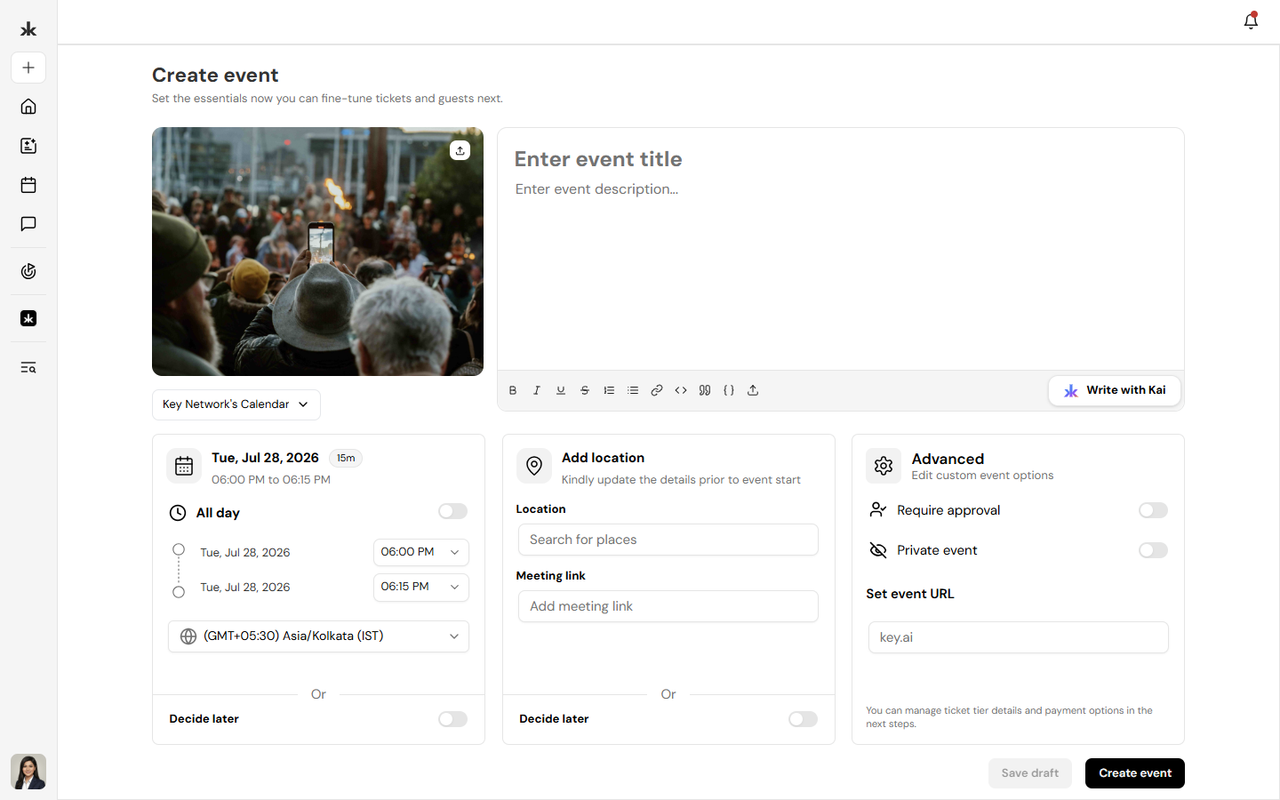
Event Types
Key AI supports multiple event formats to accommodate different types of gatherings.
In-Person Events
In-person events take place at a physical location where attendees meet face-to-face.
Examples include:
- Networking events
- Conferences
- Workshops
- Meetups
Virtual Events
Virtual events are hosted online using supported meeting platforms. Members can register and join remotely using the meeting details provided by the event organizer.
Hybrid Events
Hybrid events combine both in-person and virtual participation, allowing attendees to join either onsite or remotely. This provides greater flexibility for members regardless of their location.
What You Can Do
Depending on your permissions, you can:
- Discover upcoming events.
- Register for events.
- Create and manage events.
- Edit event details.
- Manage attendees.
- Check in attendees.
- Participate in event Q&A.
- Receive event notifications.
- Sync events with your connected calendar.
Event Lifecycle
An event typically follows these stages:
- Create the event.
- Configure registration and event details.
- Publish the event.
- Members register to attend.
- Manage registrations and attendees.
- Host the event.
- Track attendance and engagement.
Each of these stages is covered in the following articles within this section.
Permissions
The actions available within Events depend on your community role.
For example:
- Community Members and other users can register for available events.
- Event Hosts can manage the events they organize.
- Community Admins can manage all community events.
Permissions may vary depending on the role assigned within the community.
Best Practices
- Keep event information accurate and up to date.
- Clearly specify whether an event is in-person, virtual, or hybrid.
- Include complete event details before publishing.
- Monitor registrations before the event begins.
- Use attendee management tools during the event.
Frequently Asked Questions
Who can create events?
All users can create events on Key AI. Publishing an event to a community calendar may require approval from a Community Admin or Calendar Admin, depending on your role.
Can anyone register for an event?
Registration depends on the event's configuration. Some events may be open to everyone, while others may have registration or community access requirements.
Can I edit an event after publishing it?
Yes. Users with the appropriate permissions can update event details after publication.
Can I join virtual events from Key AI?
Yes. Virtual events include the information required to join online.
- Events Dashboard
- Event Types
- Event Details
- Event Lifecycle