Overview
Key AI uses roles to control what each person can do inside a community. You do not need to understand every permission on day one - this article explains the basics so you know what to expect.
Default roles
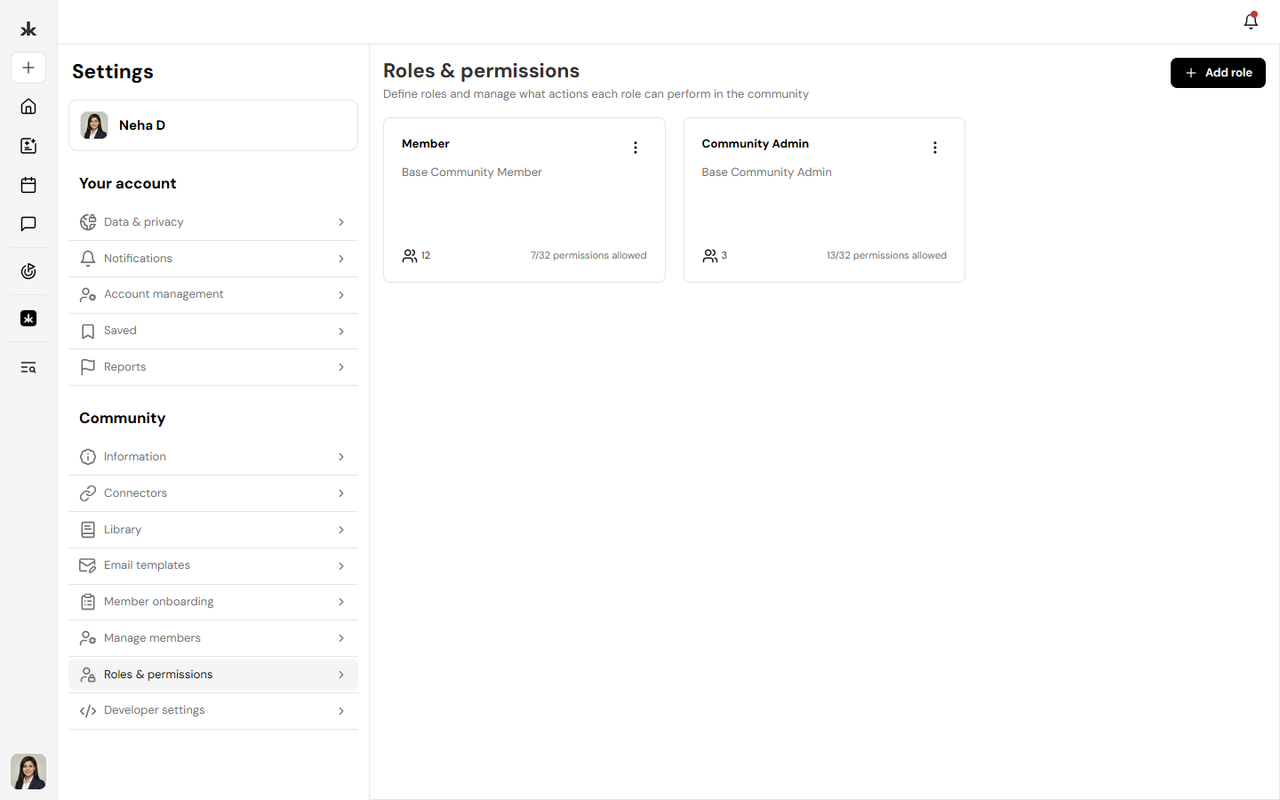
Member
Members participate in the community: channels, events, library, opportunities, and their own profile. Typical member capabilities include viewing content, joining events, and responding to registration questions when they join or RSVP.
Admin
Admins manage the community: settings, members, events, calendars, library, Pulse questions, and opportunities. They can also create custom roles and assign permissions to other members.
Custom roles
Community Admins can create roles like Channel Manager, Library Manager, or Moderator with only the permissions those volunteers need. This keeps access secure while delegating work across the team. For full details on creating roles and assigning permissions, see Roles & Permissions in the Communities section.
What this means for you
- If something is missing from your menu, you may not have permission yet - ask a Community Admin.
- If you are an Admin, assign the minimum permissions people need and review roles as your community grows.
- Roles are per community. You can be a Member in one community and an Admin in another.
Frequently Asked Questions
Why can I not edit community settings?
Editing community settings requires Admin permissions in that community. Contact a Community Admin if you need access.
Can anyone create an event?
Yes. Event creation is available to all users on Key AI. Publishing an event to a community calendar may require approval from a Community Admin or Calendar Admin.
Can I have different roles in different communities?
Yes. Your role and permissions are set separately for each community you belong to.
Where do I learn to manage roles as an Admin?
See Roles & Permissions and Manage Members in the Communities help section.