Overview
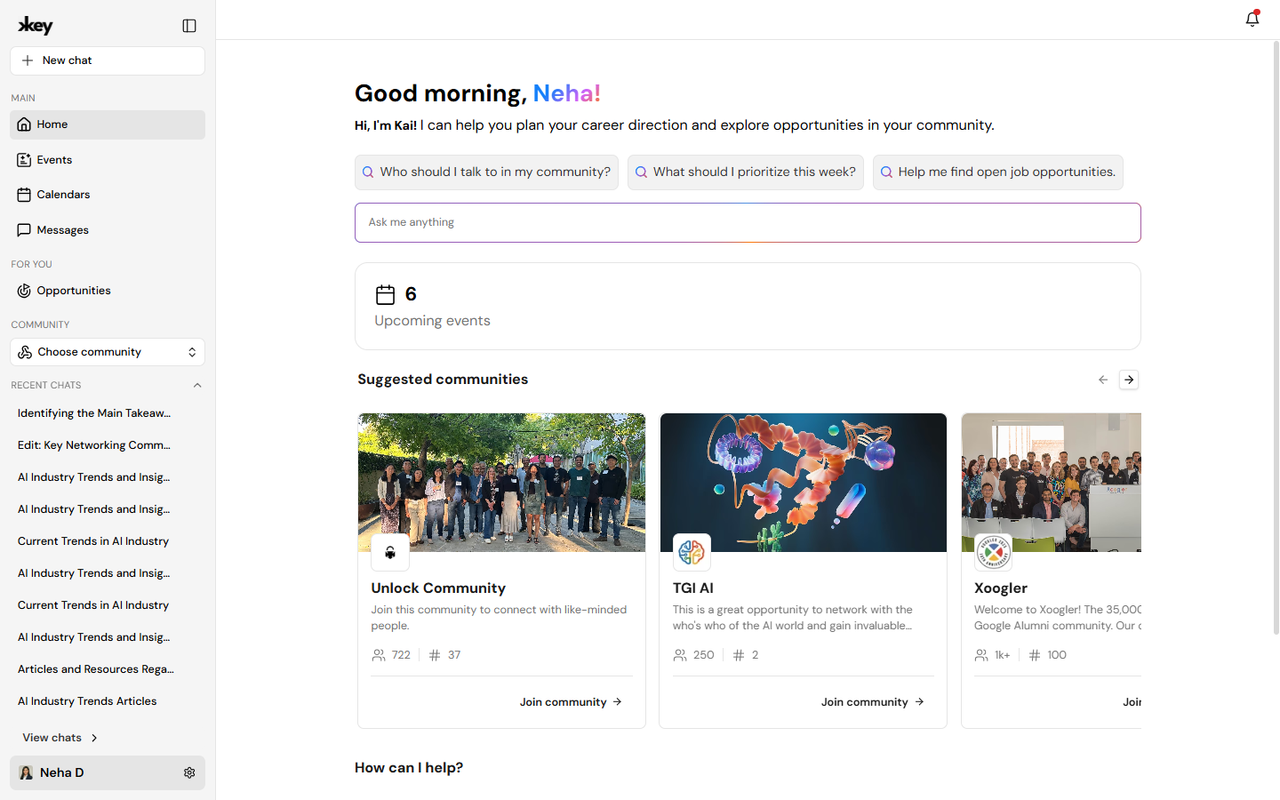
Key AI is organized around a few big ideas: your identity, your communities, your events, and the connections and opportunities that grow from them. Kai ties it all together. This article is your map. Each section below links to detailed guides - work through them at your own pace, or jump straight to what you need today.
Account and profile
Your profile is how other members discover you. A complete profile helps Kai recommend better connections and helps communities understand your background. Learn how to sign in, enrich your profile with AI, connect Google Meet, and control notifications in Account & Profile.
Communities
Communities are private spaces for your group - channels for conversation, a member directory, roles and permissions, a shared library, and onboarding for new members. If you are joining: start with Communities Overview and how to join. If you are leading: read Create a Community, Manage Members, and Roles & Permissions.
Events and calendars
Events bring people together in person, online, or both. You can browse events, register, host with tickets and reminders, check in guests, and publish events to community calendars. Start with Events Overview, then Create an Event and Calendars when you are ready to host.
Opportunities
Opportunities surface intros, hiring, fundraising, recommendations, and resources from your network and communities. Update your goals to get better matches, then browse, save, or create opportunities. See Opportunities Overview for the five opportunity types and how discovery works.
Kai AI
Kai helps you find people, understand library content, draft event descriptions, and explore what is happening across Key AI. You can start from the Home page, open a new chat, or continue a recent conversation. Read Kai AI to learn where Kai appears and what it can help you create.
Pulse, registration, and live Q&A
Pulse lets organizers ask custom registration questions and collect answers when someone joins a community or registers for an event - great for onboarding and logistics. Live Q&A lets attendees submit and upvote questions during an event without interrupting the session. Hosts should read Pulse Overview and Live Q&A; members mostly answer questions and participate during events.
Suggested learning paths
New member path:
- Welcome to Key AI
- Create an Account and Complete Your Profile
- Communities Overview
- Events Overview
- Kai AI
Community leader path:
- Create a Community
- Roles and Permissions
- Create an Event
- Pulse Overview
- Event Reminders
Tip: Use Search or Ask at the top of any Help Center page when you know what you are looking for. Ask can answer questions in plain language and point you to the right guide.