Overview
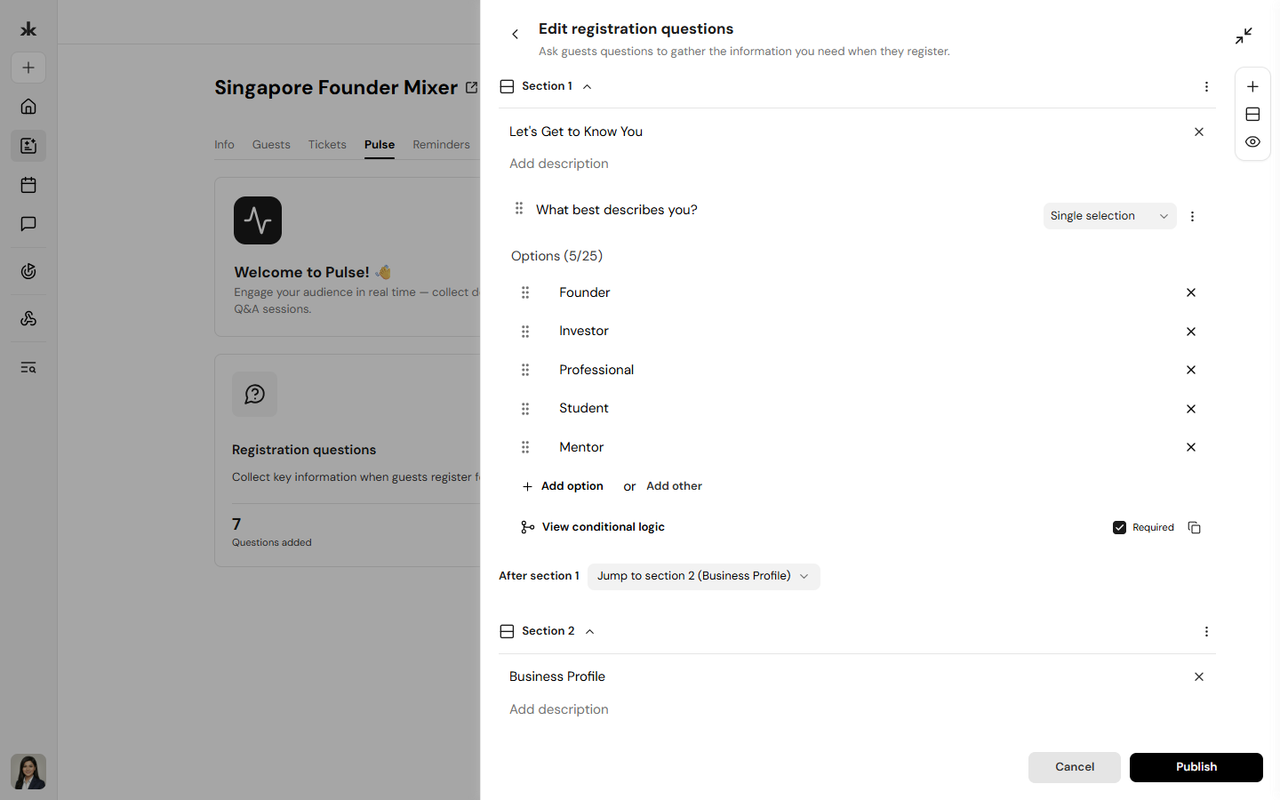
The Member Onboarding page allows Community Admins and users with the appropriate permissions to configure the registration experience for new community members. Using Registration Questions (Pulse), administrators can collect important information from members before they join the community. This helps communities better understand their members and personalize their experience. Registration questions can also include Conditional Logic, allowing follow-up questions to appear based on a member's previous responses.
Access Member Onboarding
The Member Onboarding page is available only to Community Admins.
To access Member Onboarding:
- Open the community you want to manage.
- Click Settings.
- Select Member Onboarding.
If you don't see this option, your role doesn't include permission to manage community onboarding.
Member Onboarding
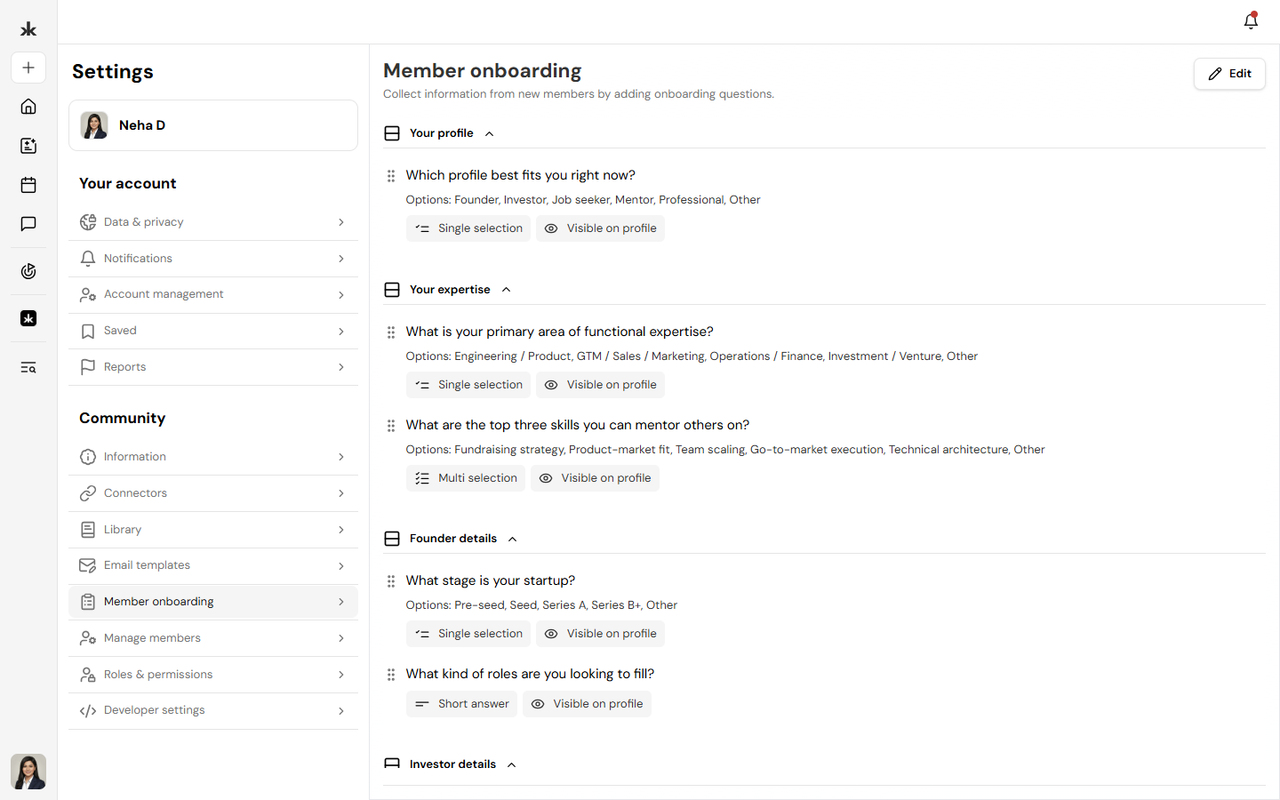
Member Onboarding is presented to users when they request to join or register for a community.
These questions help administrators collect information such as:
- Professional background
- Interests
- Experience
- Community-specific information
- Any other details required for onboarding
Questions are created manually by Community Admins and can be updated at any time.
Supported Question Types
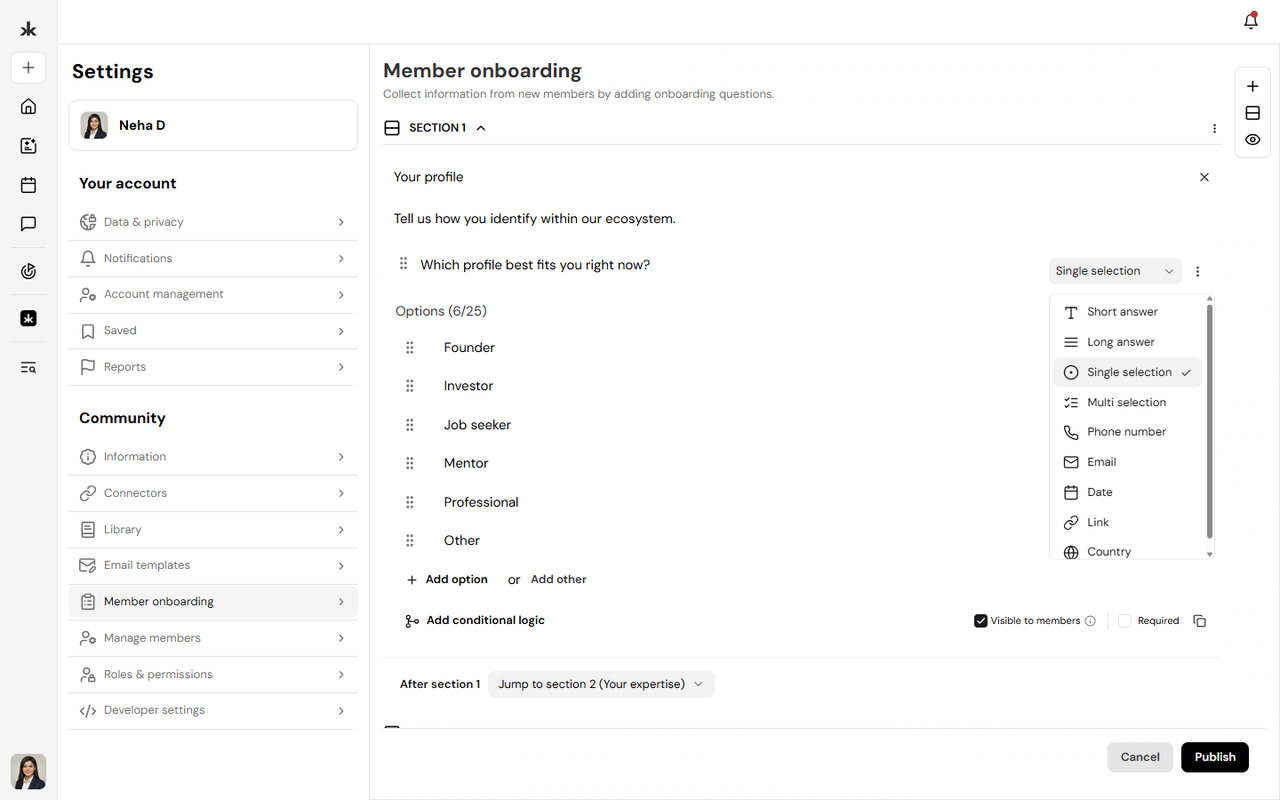
Member Onboarding supports multiple question types, allowing communities to collect information in different formats. Depending on your requirements, you can create questions such as:
- Short Text
- Long Text
- Multiple Choice
- Single Select
- Multi Select
- Dropdown
- Yes/No
- Date
- Number
The available question types may expand as new features are introduced.
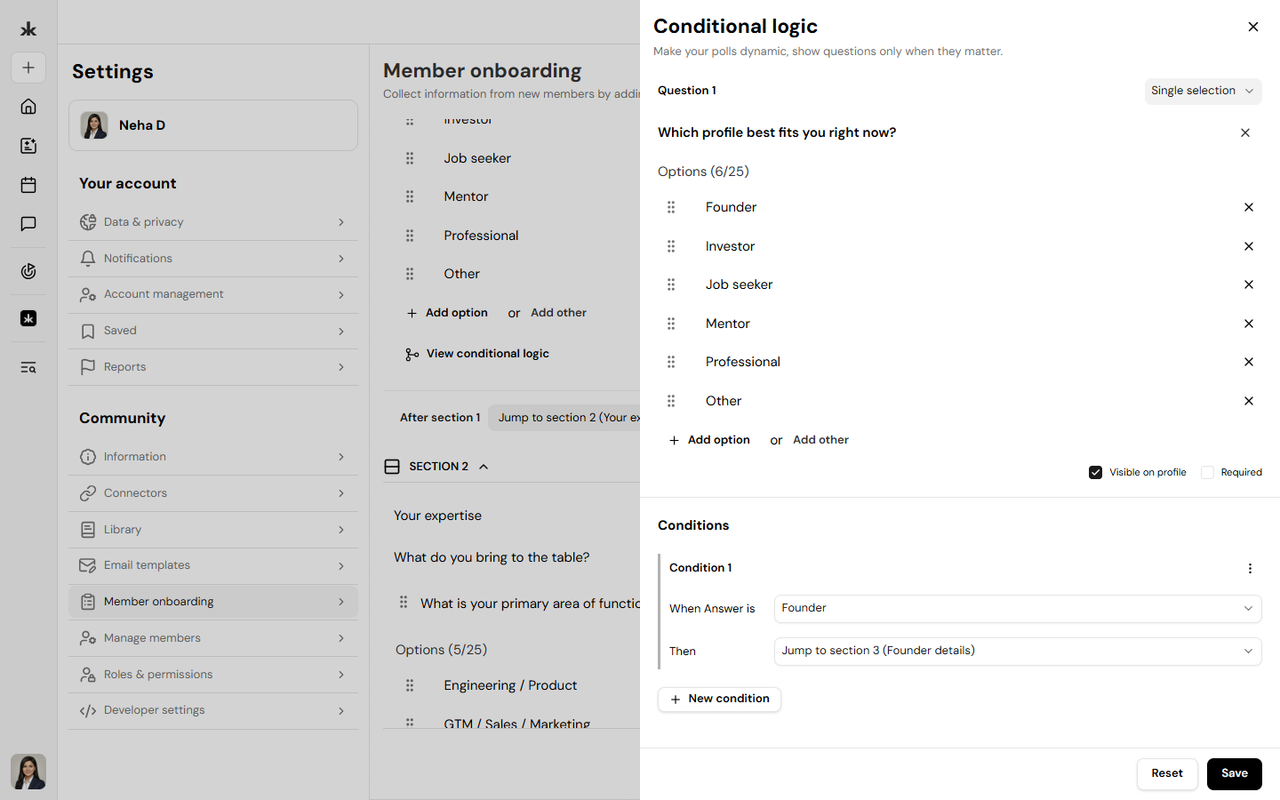
Conditional Logic allows administrators to create dynamic onboarding experiences. Based on a member's response, additional questions can be shown or hidden automatically. This helps keep the onboarding process relevant by only displaying questions that apply to each member.
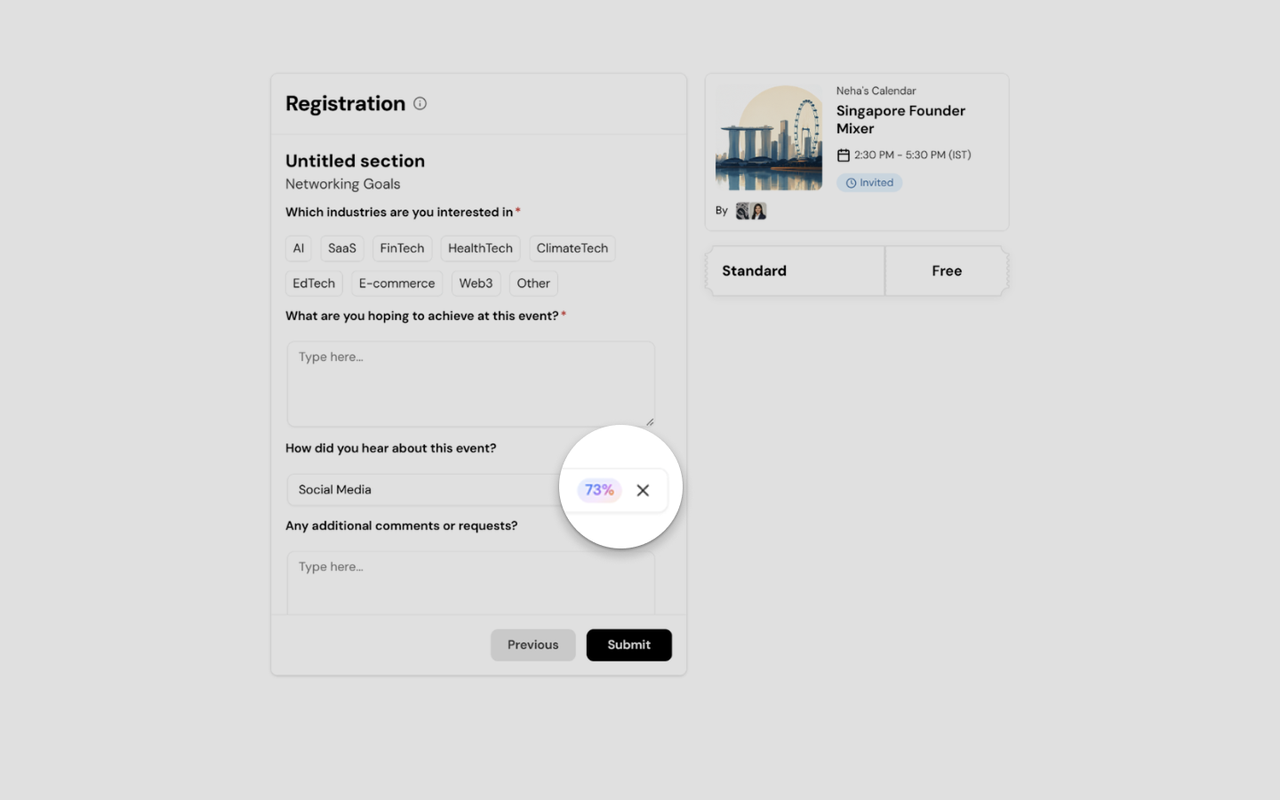
Pre-filled answer suggestions help members complete registration more efficiently while still allowing them to enter their own responses where applicable.
Edit or Remove Questions
Community Admins can update onboarding questions whenever community requirements change.
You can:
- Edit existing questions.
- Update answer choices.
- Modify conditional logic.
- Remove questions that are no longer needed.
- Reorder questions as required.
Changes apply to future registrations only.
Best Practices
- Ask only for information that is relevant to your community.
- Use Conditional Logic to create a more personalized onboarding experience.
- Keep onboarding concise to encourage completion.
- Review onboarding questions periodically to ensure they remain relevant.
Frequently Asked Questions
Who can manage Member Onboarding?
Only Community Admins and users with permission to manage community settings can create and manage onboarding questions.
When are registration questions shown?
Registration questions are displayed when users join or register for a community.
Can I edit registration questions later?
Yes. Community Admins can update, reorder, or remove registration questions at any time.
What are pre-filled answer suggestions?
Pre-filled answer suggestions provide recommended responses that members can quickly select while completing their registration.
Can I show different questions based on previous answers?
Yes. Conditional Logic allows additional questions to appear based on a member's earlier responses.