Overview
The About page is the public face of your community. It is your community website - the public page visitors and members see. It introduces members and visitors to your community by showcasing its purpose, mission, featured content, and other key information. This page helps prospective and existing members understand what your community is about before they engage with it. Community Admins can update the content and appearance of the About page to keep it relevant and engaging.
Access the About Page
To access your community's About page:
- Open the community.
- Select About from the Community Menu.
Community Admins will also see an Edit button, allowing them to update the page content.
What's Included on the About Page?
The About page includes information such as:
- Community name
- Community logo
- Cover image
- Community description
- Mission and purpose
- Featured sections
- Additional community content
The available sections may vary depending on how your community has been configured.
Edit the About Page
Community Admins can customize the About page to reflect their community's identity.
To edit the About page:
- Open your community.
- Navigate to About.
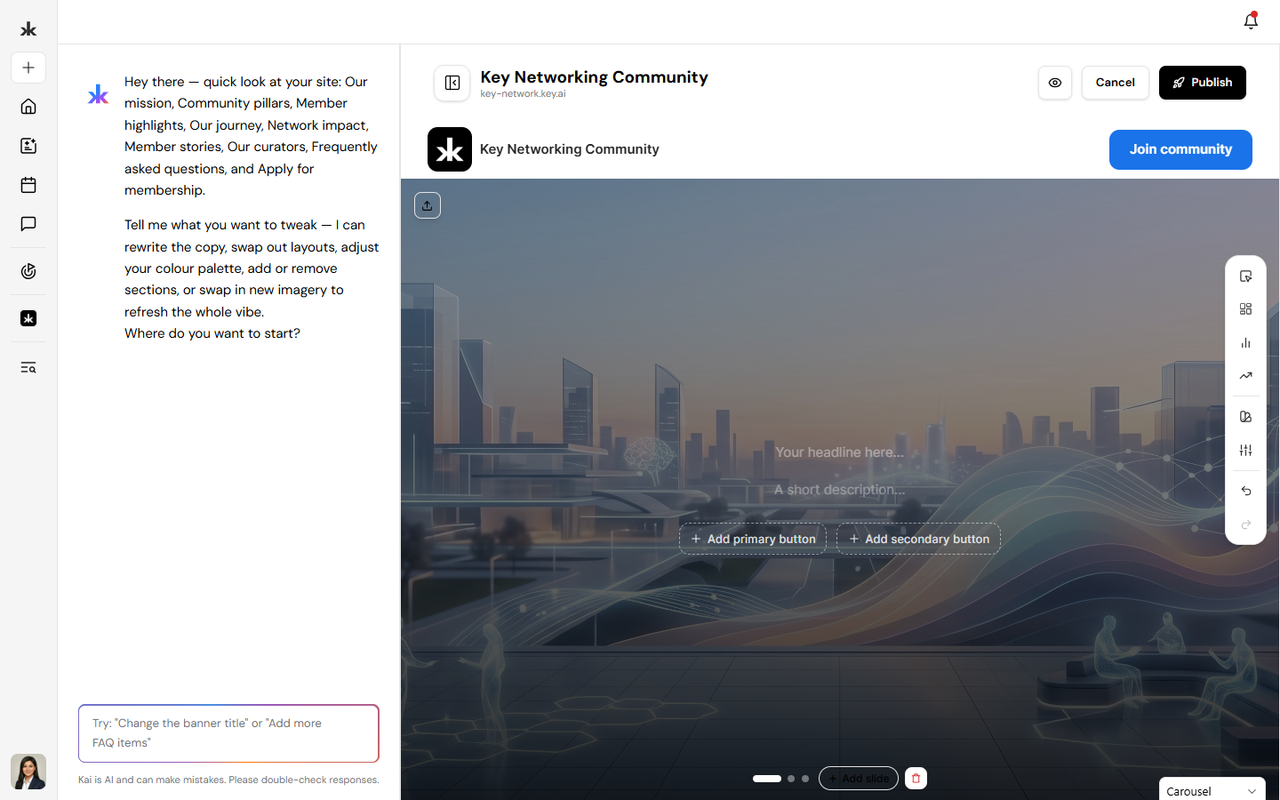
- Click Edit.
- Ask Kai to edit with AI or edit manually.
- Update the desired content.
- Publish your changes.
Changes become visible to community members once they are Published.
Why Keep Your About Page Updated?
A well-maintained About page helps:
- Introduce new members to your community.
- Clearly communicate your community's purpose.
- Build trust and credibility.
- Encourage member participation.
- Provide important information in one central location.
We recommend reviewing your About page regularly to ensure the information remains accurate and relevant.
Best Practices
- Write a clear and concise community description.
- Explain your community's mission and goals.
- Keep featured content up to date.
- Use high-quality branding, including your logo and cover image.
- Review your About page periodically as your community grows.
Frequently Asked Questions
Who can edit the About page?
Only Community Admins and users with the appropriate permissions can edit the About page.
Can members view the About page?
Yes. Members can access the About page to learn more about the community.
Can I update the About page after publishing?
Yes. The About page can be updated at any time, and changes are reflected once they are published.