Overview
Your Key AI account is your gateway to the platform, providing access to communities, events, opportunities, and other features based on your assigned permissions. It also allows you to personalize your experience by managing your profile information, notification preferences, and connected accounts. Keeping your account information up to date helps you get the most out of Key AI and ensures other members can easily connect with you.
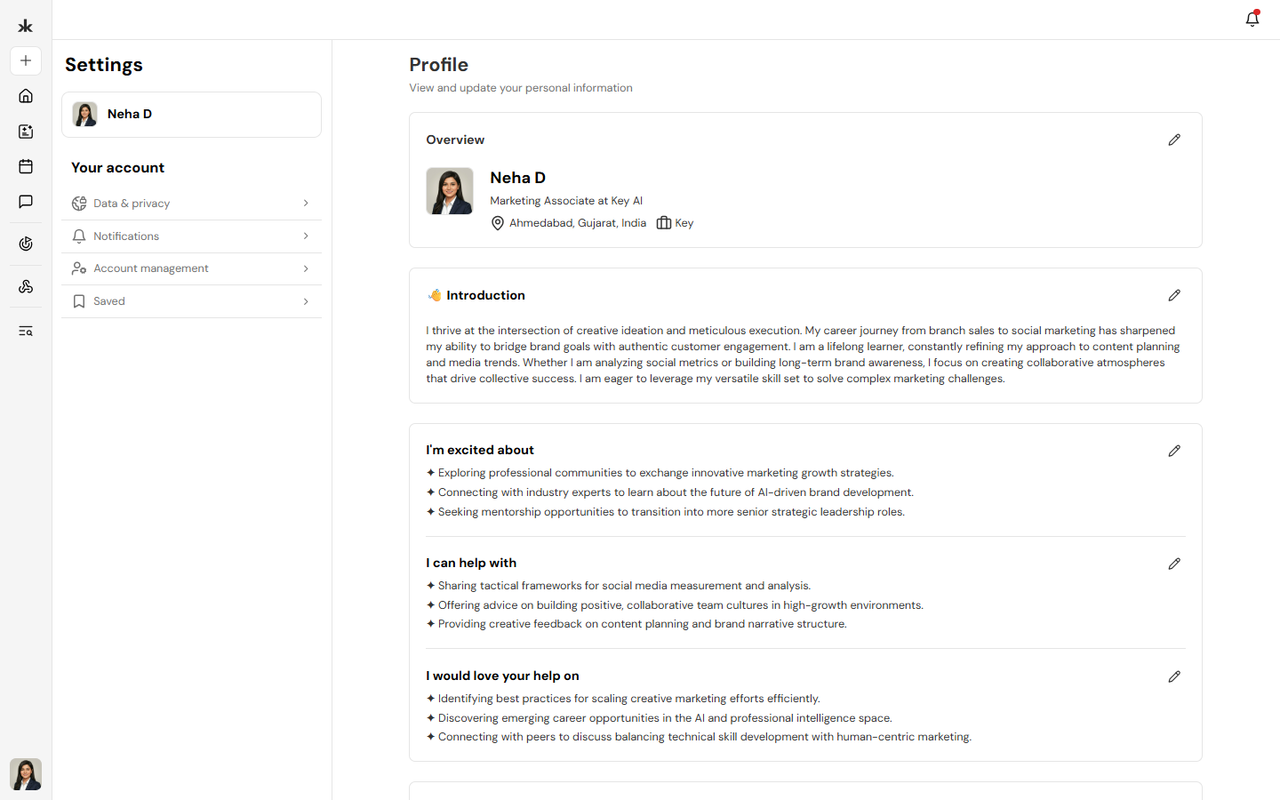
What You Can Manage
From your account, you can:
- View and update your profile information.
- Manage your profile photo.
- Update your notification preferences.
- Manage your connected accounts.
- Access your account settings.
Why Keep Your Account Updated?
Maintaining an up-to-date account helps you get the most out of Key AI.
A well-maintained account allows you to:
- Keep your profile information current.
- Improve your visibility within communities.
- Receive important platform and event notifications.
- Ensure your account information is accurate.
- Help Key AI curate and recommend more relevant opportunities based on your profile, interests, and professional information.
Tip: The more complete and up-to-date your profile is, the better Key AI can recommend relevant opportunities, helping you discover meaningful connections and professional engagements.
Account Settings
Your account settings allow you to personalize your Key AI experience and manage your account preferences.
From your account settings, you can:
- Edit your personal information.
- Update your profile picture.
- Configure your notification preferences.
- Manage your connected accounts.
- Review and update your account settings.
Keeping your account settings up to date ensures your profile information is accurate and helps you stay informed about important activity across the platform.
Best Practices
To get the most out of Key AI, we recommend that you:
- Keep your profile information up to date.
- Add a professional profile photo.
- Review your notification preferences regularly.
- Update your profile whenever your role, skills, or professional information changes to receive more relevant opportunities and recommendations.