

March 19, 2026
We've always felt that the most valuable connections should happen by design, not by accident. It's a frustrating feeling to leave an event and realize later that the one person you really needed to meet was standing right next to you the whole time. We're releasing these updates to take the guesswork out of the room.
Know who to meet, 48 hours before the doors open.
No matter how big the event is, you'll now walk in with a curated group of people who are actually a fit for what you're working on. Two days before the doors open, Kai scans the guest list and sends you a shortlist of your best opportunities.
The best part is that you're on their list, too. There's something great about knowing the person you're looking for is also looking for you. It means you can start talking before you even arrive, so when you finally meet in person, you aren't introducing yourselves - you're just picking up where you left off.
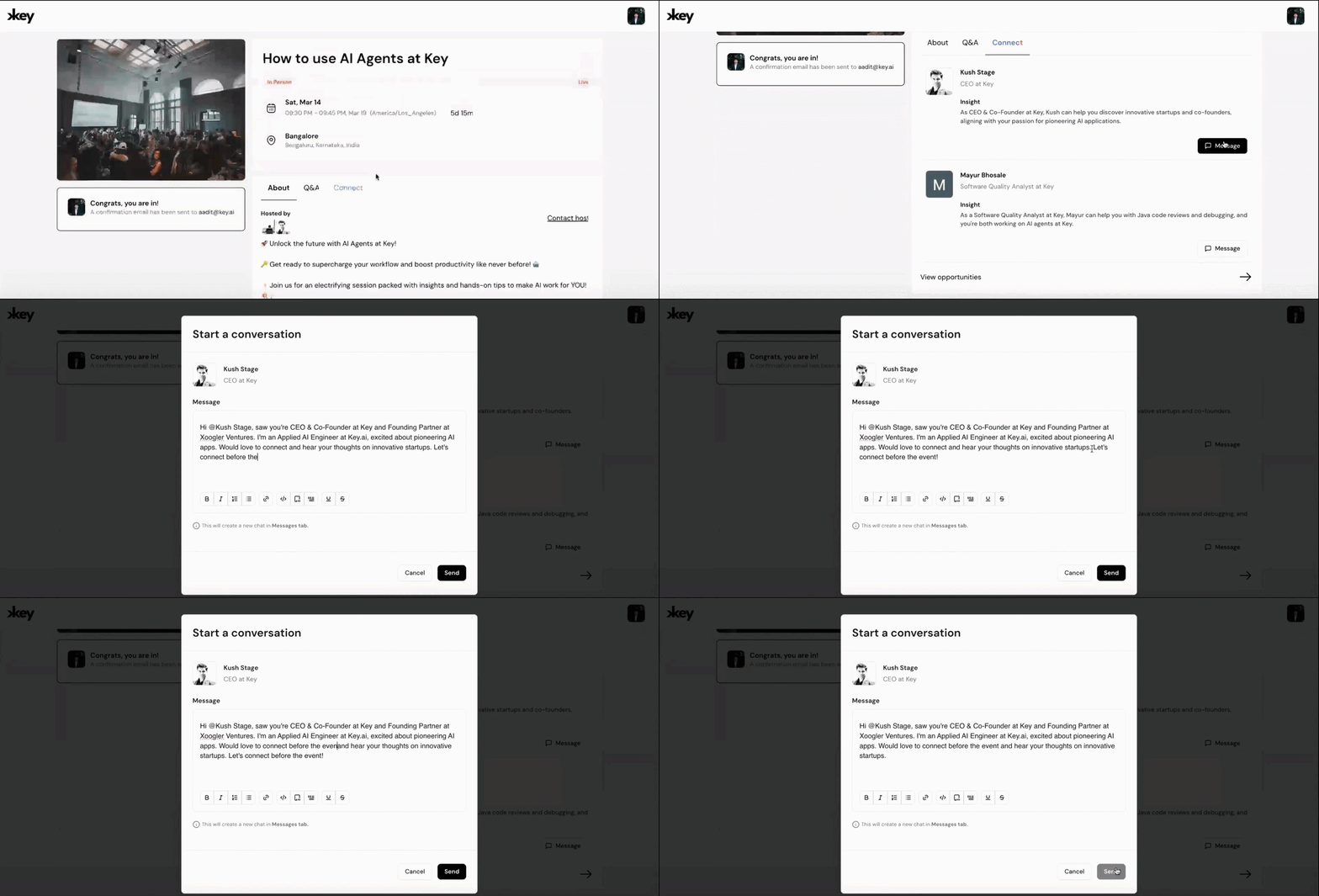 Explore your pre-event list →
Finding the Value Already in Your Network
The people who can help you reach your goals are often already in your network; we just wanted to make them easier to find. We built the Opportunities Page to bring those people to the surface so they don't get lost in old guest lists or different groups.
It's a simple, living record of every person Kai has recommended to you. In one view, you can see who they are, why Kai thought you should meet, and where you first crossed paths. It's a dedicated place for the people who matter to your growth, making it easy to message them directly and get things moving.
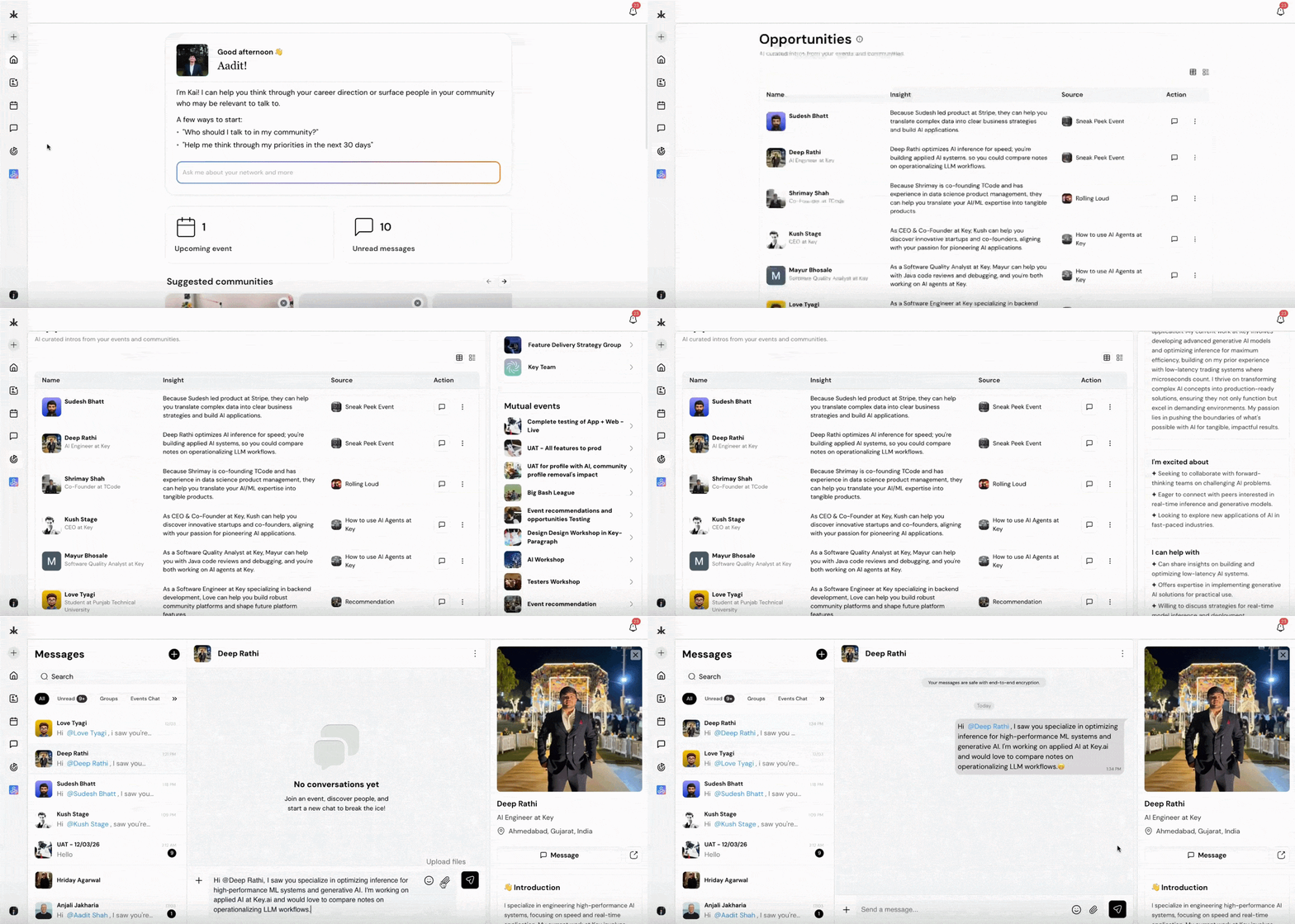 See your opportunities →
Review applicants in half the time.
For those of you running communities, we wanted to make your day-to-day management a bit smoother. We've updated the Member Table so you can see the big picture at a glance. You can now see companies and roles directly in the main view, so you don't have to click into every single profile just to get the context you need. It's a small change that makes a big difference in how quickly you can navigate your group.
 Try the new Member Table →
Stop switching tabs to discuss candidates.
When you're running a community, you're often sharing context about members with your team. Maybe it's a specific goal someone mentioned or a quick update on a conversation you had. We built Member Notes so you can have those discussions right on the platform instead of jumping into another app. It's a private space for your team to stay aligned, so everyone knows exactly where a member stands and how to best support them.
.gif) Collaborate with your team →
Collaborate with your team →
Features should explain themselves.
We want the platform to feel intuitive, but we also know that jumping into new features can sometimes feel like a lot. To help with that, we've added some simple In-App Guides. They're designed to show you the ropes without getting in your way—think of them as a quick nudge in the right direction so you can spend less time figuring out the buttons and more time actually using the tools.
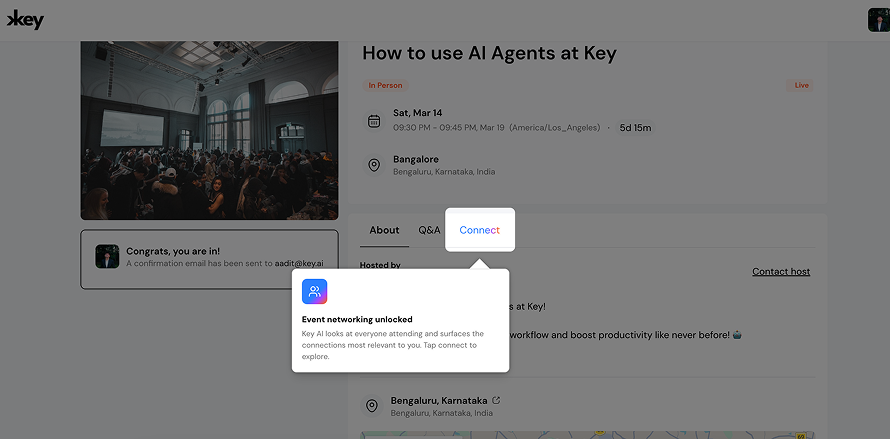
We're currently building Slack integrations, Polls, and Conditional Registration for communities. New profile pre-fill so you never have to type the same answer twice. Plus, Kai is learning how to build entire communities for you from scratch.
Key Platform ships every week. Follow our journey →

